Beyond Gaming: Practical Augmented Reality Tools and Apps for Everyday Life
Beyond Gaming: Practical Augmented Reality Tools and Apps for Everyday Life
Augmented Reality (AR) often conjures images of futuristic games or intricate industrial applications. While AR undoubtedly shines in these areas, its true power lies in its capacity to seamlessly integrate digital information into our physical world, enhancing mundane tasks and offering new perspectives on daily life. Far from a niche technology, practical augmented reality tools and apps are now readily available on our smartphones and tablets, transforming how we interact with our homes, learn new skills, and navigate our surroundings.
This isn’t about escaping reality; it’s about enriching it. We’re witnessing AR mature into a versatile utility, providing tangible benefits across various sectors. Let’s delve into how this innovative technology is moving beyond the screen and into our hands, offering solutions for everyday challenges.
Transforming Your Space: AR in Interior Design and Home Improvement
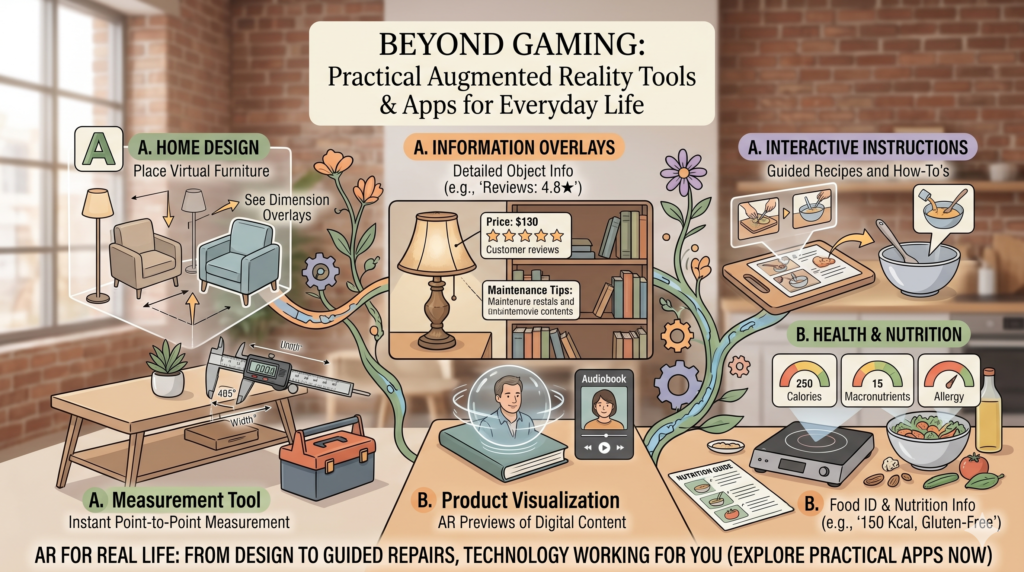
One of the most accessible and widely adopted applications of AR is in visualizing how new items or renovations will look in your home. Gone are the days of guessing whether that new sofa will fit or if a different paint color will suit your living room. Practical augmented reality tools and apps in this domain empower users with confidence before making significant purchases.
- IKEA Place: Perhaps one of the pioneers, IKEA Place allows you to virtually ‘place’ IKEA furniture in your room using your smartphone’s camera. You can see how items look, fit, and interact with existing decor, all to scale. This dramatically reduces the guesswork and potential for costly returns.
- Houzz: The popular home design platform Houzz integrates AR features that let you ‘Try It in My Room 3D.’ This functionality allows you to preview over a million products from their catalog directly within your space, making design decisions much easier and more informed.
- Dulux Visualizer: Thinking of repainting? Apps like the Dulux Visualizer allow you to instantly see how different paint colors would look on your walls in real-time. This saves time, money, and the effort of buying and testing multiple paint samples.
These tools not only simplify home decoration but also democratize interior design, making professional-level visualization accessible to everyone with a smartphone.
Learning Made Immersive: Augmented Reality in Education
Education stands to gain immensely from AR’s ability to make abstract concepts tangible and learning experiences more interactive. Practical augmented reality tools and apps in education transform passive observation into active engagement, catering to different learning styles and bringing subjects to life.
- Anatomy 4D: Medical students and enthusiasts can use apps like Anatomy 4D to explore the human body in incredible detail. By pointing their device at a printed marker, they can project a 3D anatomical model onto any surface, rotating it, zooming in, and isolating systems for a deeper understanding.
- AR Flashcards: For younger learners, AR flashcards elevate traditional learning by bringing animals, letters, and shapes to life as 3D animations, making early education more engaging and memorable.
- Google Arts & Culture: This app offers several AR experiences, allowing users to ‘visit’ virtual museums or place historical artifacts in their living room, providing rich cultural education from anywhere.
By blending digital content with physical environments, AR fosters deeper understanding and makes learning an adventure rather than a chore.
Navigating the World: AR for Exploration and Utility
From finding your way in a new city to understanding your surroundings, AR offers practical solutions for navigation and utility, reducing friction in our daily routines.
- Google Maps AR Walking Directions: Google Maps has integrated AR for walking directions, overlaying arrows and route information onto your live camera feed. This helps eliminate the confusion of deciphering traditional 2D maps, especially in complex urban environments, making it one of the most practical augmented reality tools for travelers.
- Google Translate: The instant camera translation feature in Google Translate uses AR to translate text in real-time. Point your phone at a sign, menu, or document in a foreign language, and see the translation appear instantly on your screen, replacing the original text. This is invaluable for international travel and communication.
- SkyView Lite: Stargazers can use apps like SkyView Lite to identify stars, constellations, satellites, and planets by simply pointing their phone at the night sky. The app overlays astronomical information, making celestial navigation accessible and exciting.
These applications demonstrate AR’s power in augmenting our perception and understanding of the physical world around us, turning our smartphones into powerful environmental interpreters.
Health and Fitness: AR’s Role in Well-being
The health and fitness sector is increasingly leveraging AR to provide personalized experiences, from guided workouts to medical assistance.
- Fitness Apps: Some fitness apps are beginning to incorporate AR to provide virtual trainers who demonstrate exercises in your living room, ensuring correct form and technique without needing a gym or in-person coach.
- Medical Training and Assistance: In professional settings, AR is invaluable. Surgeons can use AR overlays during operations to view patient data without looking away from the operating table. Nurses use vein finders, an AR tool that projects a map of a patient’s veins onto their skin, making injections easier and less painful.
- Therapeutic Applications: AR is also finding its place in therapy, particularly for phobias. Patients can confront their fears in a controlled, augmented environment, gradually desensitizing themselves under guidance.
These diverse applications highlight AR’s potential to improve quality of life, both preventatively and therapeutically.
Boosting Productivity: AR in the Workplace
Beyond personal use, practical augmented reality tools and apps are proving instrumental in enhancing productivity and collaboration across various industries.
- Remote Assistance: Companies are deploying AR solutions, such as those enabled by devices like Microsoft HoloLens, to allow remote experts to guide on-site technicians. An expert can draw annotations directly onto a technician’s real-world view, pointing out specific components or steps, drastically reducing downtime and travel costs.
- Training Simulations: AR offers highly realistic and interactive training simulations for complex machinery or procedures without the risks or costs associated with physical prototypes. This is particularly valuable in manufacturing, aerospace, and healthcare.
- Data Visualization: Imagine project managers viewing 3D models of architectural plans superimposed onto a building site, or factory supervisors seeing real-time performance data overlaid on machinery. AR transforms abstract data into tangible, contextual information.
By bringing digital information into the physical workspace, AR streamlines workflows, enhances training, and facilitates unprecedented levels of collaboration.
Choosing the Right Practical Augmented Reality Tools and Apps
With a growing number of AR applications available, selecting the right ones depends on your specific needs. When exploring practical augmented reality tools and apps, consider the following:
- Compatibility: Ensure the app is compatible with your device’s operating system and AR capabilities (e.g., ARKit for iOS, ARCore for Android).
- Features: Look for apps that offer the specific functionalities you require. Read descriptions and reviews carefully.
- User Experience: Opt for apps with intuitive interfaces and stable performance. A clunky AR experience can be more frustrating than helpful.
- Privacy: Be mindful of the permissions an app requests, especially those related to your camera and location data.
- Cost: Many practical AR apps offer free versions or trials. Evaluate if a paid version’s features justify the investment.
The beauty of today’s AR landscape is its accessibility. Many foundational AR experiences are available for free, allowing anyone to experiment with this exciting technology.
The Future is Now: What’s Next for Everyday AR?
The current generation of practical augmented reality tools and apps, primarily on smartphones, represents just the beginning. As hardware evolves, we can expect AR experiences to become even more seamless and pervasive. Lighter, more comfortable AR glasses will eventually replace phones as the primary interface, leading to always-on, hands-free augmented realities. Imagine instant translations appearing over foreign text as you walk, or real-time navigation cues overlaid directly onto your path without needing to pull out a device.
Interoperability, AI integration, and increasingly sophisticated contextual awareness will drive AR into new frontiers, making it an indispensable part of how we learn, work, and live. The line between the digital and physical is set to blur even further, not to confuse us, but to empower us with unprecedented capabilities.
Frequently Asked Questions About Practical Augmented Reality
What is augmented reality (AR)?
Augmented reality (AR) is a technology that overlays digital information, such as images, videos, or 3D models, onto a user’s view of the real world. Unlike virtual reality (VR) which creates entirely artificial environments, AR enhances the existing physical world with digital content, typically viewed through a smartphone, tablet, or specialized AR glasses.
How is AR different from VR (Virtual Reality)?
The key difference lies in immersion and environment. Virtual Reality (VR) creates a completely artificial, immersive environment that replaces the user’s real-world view, typically requiring a headset. Augmented Reality (AR), on the other hand, superimposes digital elements onto the real world, allowing the user to interact with both the physical and virtual simultaneously. AR enhances reality, while VR replaces it.
Are practical AR apps expensive to use?
Many practical augmented reality tools and apps are available for free, especially those leveraging smartphone cameras (e.g., Google Maps AR, IKEA Place, Google Translate). Some more specialized or professional AR applications might have subscription fees or one-time purchase costs, but the entry barrier for everyday AR use is very low.
What do I need to use most AR apps?
For most common practical AR apps, you primarily need a modern smartphone or tablet with a good camera and sufficient processing power. Both iOS (with ARKit) and Android (with ARCore) devices released in recent years typically have the necessary hardware and software support for augmented reality experiences.
Is AR safe for privacy and data?
Like any digital technology, privacy and data security are important considerations for AR. AR apps often require access to your device’s camera, microphone, and location data to function effectively. It’s crucial to review app permissions before installation, understand the app’s privacy policy, and only download from trusted sources. Responsible developers prioritize user privacy.
Conclusion
The journey of augmented reality from science fiction concept to everyday utility is well underway. From helping us choose the perfect piece of furniture to translating foreign languages in an instant, practical augmented reality tools and apps are proving their worth by solving real-world problems and enriching our experiences. This technology isn’t just about flashy demonstrations; it’s about empowering us with new ways to see, learn, and interact with the world. As AR continues to evolve, its integration into our daily lives will only deepen, making our world not just more connected, but genuinely augmented for the better.
Category: TECH GUIDES
Tags: augmented reality, AR apps, practical AR, tech guides, innovation, education technology, home design apps, productivity tools